Civitai Red Models or an Online AI Generator: Which Workflow Fits Your Image?
Civitai Red gives you a catalog of models and LoRAs plus an on-site generator you configure yourself. A browser generator like ours gives you a prompt box. Here is how to tell which one your next image needs.
Short answer
Pick the Civitai Red model workflow when the image depends on a specific checkpoint, LoRA or character, or when you want to set the base model, weights and other settings yourself.
Pick an online generator when you can already describe the scene in words, don't need a particular model file, and would rather skip setup and compatibility checks.
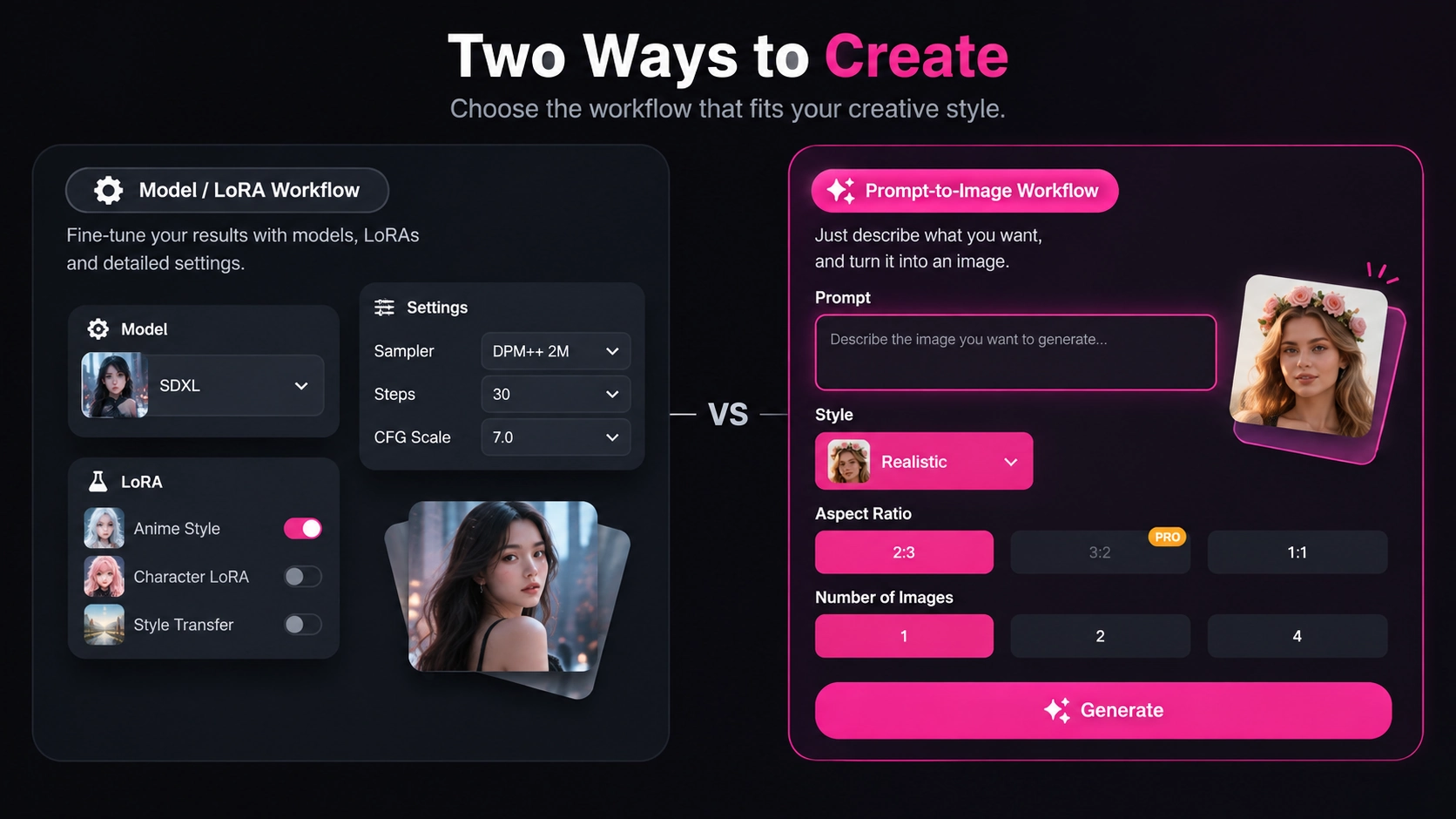
What Civitai Red Actually Gives You
Since April 2026, Civitai has two front doors. According to the official announcement, civitai.com is locked to PG content, while civitai.red carries the full catalog, the full generator and the full community, and each user chooses their own content visibility. Both domains are filtered views of the same database, so one account works on either.
That makes Civitai Red three things at once, and it helps to keep them apart:
Find
Browse checkpoints, LoRAs and other resources. A model page usually lists its versions, the base model it was trained for, sample images and the creator's license terms.
Download
Take the files to a compatible local tool. Civitai's model usage guide covers checkpoints, LoRAs, textual inversions, hypernetworks and other resource types.
Generate
Run models in Civitai's own on-site generator. Mature generation is only available on civitai.red; civitai.com allows SFW generation.
Domain rules, payment options and generator features are Civitai's own policies and may change. Check the current Civitai pages before you rely on any detail here.
Choose by Task, Not by Tool
Start from the image you want to make, not from the platform. Two questions settle most cases:
1.Does the image depend on a specific model, LoRA or character?
Yes → Civitai Red model workflow
2.Do you want to set the base model, LoRA weights and generation settings yourself?
Yes → Civitai Red model workflow
1 + 2: No → Online browser generator
Recreate a look built around a specific LoRA
- What you bring
- A LoRA you found on Civitai Red, plus the base model it was trained for.
- How much you control
- High: you choose the model, the LoRA weight and the prompt.
- Before you start
- Check base model compatibility, the license and several sample images.
Better fit: Civitai Red model workflow
Tune every setting yourself
- What you bring
- A clear goal and time to experiment with versions and settings.
- How much you control
- Highest: every parameter your generator exposes is yours to change.
- Before you start
- Learn the resource types and the tool you will run them in.
Better fit: Civitai Red model workflow
Turn a written scene into an image
- What you bring
- A detailed prompt describing subject, pose, setting and style.
- How much you control
- Moderate: prompt, style, aspect ratio and number of images.
- Before you start
- Almost nothing. Open the page and write the prompt.
Better fit: Online browser generator
Bring an image you already have to life
- What you bring
- A photo or render you own or have permission to use.
- How much you control
- Depends on the options of the video tool you pick.
- Before you start
- Confirm your rights to the image and that anyone shown is a consenting adult.
Better fit: A separate image-to-video step
The Civitai Red Model Workflow, Step by Step
This is the path when a specific model matters. Buttons and download steps change over time, so treat these as the decisions you make rather than a click-by-click tour.
- 01
Write down the target image
Describe the subject, style and framing before you browse. A clear target keeps you from collecting models you will never use.
- 02
Pick the base model and version first
Choose the checkpoint that sets the overall look and note which version you use. Compare several sample images instead of trusting one cover thumbnail, and open image pages that show the prompt, resources and settings when the creator shares them.
- 03
Match LoRAs to that base
Civitai's guide notes that a LoRA can be used with any model but usually performs best on the model it was trained on, or a derivative of it. It also says the default weight of 1 is usually too high, so start lower and adjust.
- 04
Read the license
Every model carries its creator's permissions. Check whether commercial use, sharing merges or selling generated images is allowed before you build a project on it.
- 05
Decide where to run it
Use Civitai's on-site generator on civitai.red, or download the files into a compatible local tool if you want to work on your own hardware.
Mature models and images only appear on civitai.red, and only for users who opt in to see them. On civitai.com they are not shown at all.
The Browser Workflow on AIporn.net
Disclosure: we make AIporn.net, the online generator in this comparison. Below is exactly what our image generator asks for today.
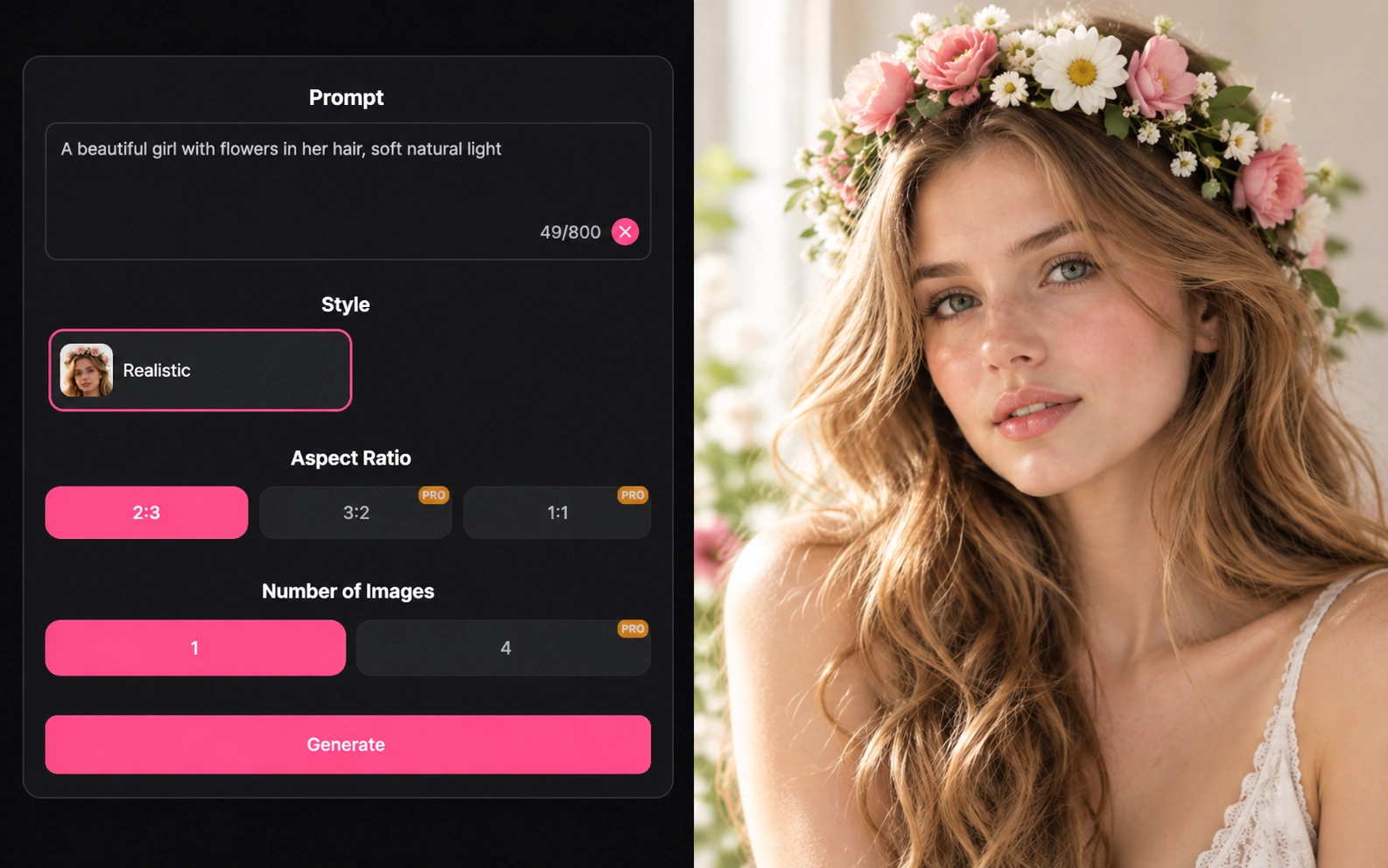
The AI porn image generator runs in your browser. There is nothing to install and no model file to manage. A run looks like this:
- Write a prompt that describes the subject, pose, setting and style.
- Pick a style. The image generator currently offers a Realistic style.
- Choose an aspect ratio. Portrait 2:3 is the default; 3:2 and 1:1 are marked Pro.
- Choose how many images to make: one per run, or four with Pro. Pro options are handled through a partner platform.
What it does not do: you can't upload a checkpoint or a LoRA, pick a Civitai model or adjust LoRA weights. If your image depends on a specific Civitai resource, use the model workflow above.
Adults only. Don't depict real people without their consent, and only use images you own or have permission to use.
Want motion next? If you have an image you are allowed to use, Image to Video is a separate tool that animates a still.
Side by Side: What Each Workflow Involves
Neither path wins in general; they ask different things of you. This table compares what each one involves, not output quality.
| Aspect | Civitai Red model workflow | AIporn.net image generator |
|---|---|---|
| Starting point | A model page: checkpoint, LoRA or other resource | A prompt box |
| Setup before the first image | Choose base model and version, check LoRA compatibility and license | Nothing beyond writing the prompt |
| Model choice | Any compatible resource in the catalog | The styles the page offers; no custom models |
| Settings you control | Base model, LoRA weights and whatever settings your generator exposes | Style, aspect ratio and number of images |
| Asset management | You track versions, files and licenses | Nothing to store or update |
| Mature content | On civitai.red when you opt in; not shown on civitai.com | Adult site; the generator page is marked 18+ |
| Suits you if | You want a specific look and don't mind learning the tools | You want to go from words to an image with minimal setup |
Limits Worth Knowing
- Licenses travel with the model, not with the site where you found it. Read them on each model page.
- Local generation needs hardware that can run the model. On-site and browser generators avoid that, but each follows its own usage rules.
- Our generator can't import Civitai files, and a prompt alone won't reproduce a character that lives in a specific LoRA.
- Platform policies change. Civitai split its domains in April 2026, so check the current pages for the latest rules.
FAQ
Already Have the Scene in Words?
If your image doesn't depend on a specific model file, write the prompt and let the browser generator handle the rest.